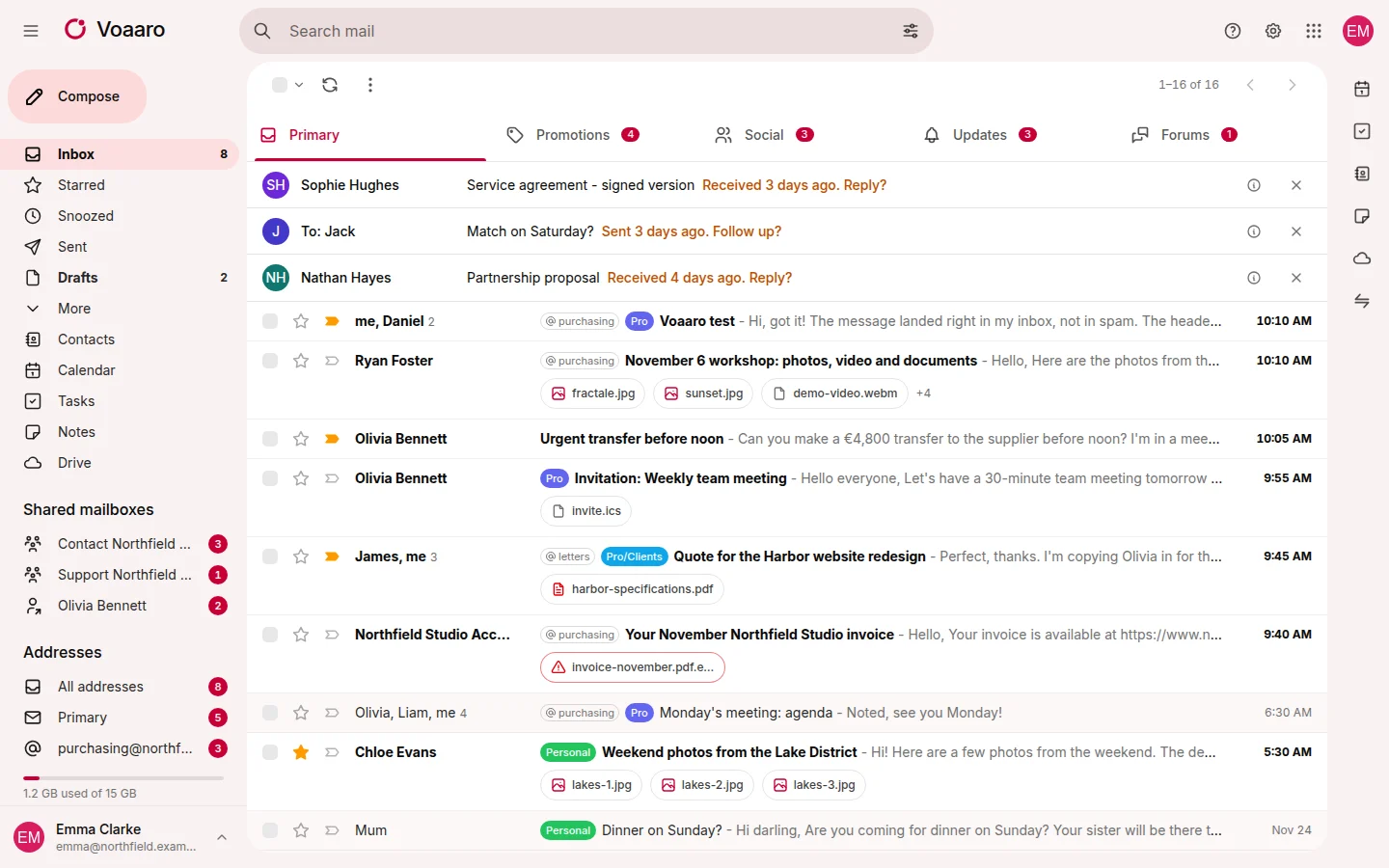
The webmail opens at your instance's address (https://mail.example.com/). It follows Gmail's layout: a sidebar on the left, the conversation list in the middle, a side panel on the right (Calendar, Tasks, Contacts, Notes). Everything you do there carries over to your IMAP apps (iPhone, Thunderbird, Outlook): a label is a folder there, a starred message carries a flag.
The sidebar
- New message opens a compose window.
- Inbox, Starred, Snoozed, Sent, Drafts, then More: Important, Scheduled, All Mail, Spam, Trash, the categories, Manage subscriptions and label management. Drag an entry to reorder it (with the keyboard: Alt + ↑ / ↓); the order follows you on all your devices.
- Contacts and Calendar open your contacts and calendar.
- Shared mailboxes and Addresses only appear if you have any: see Shared mailboxes and Secondary addresses.
- Labels, with their colour; the "+" creates one.
- At the bottom, the storage used and the account menu.
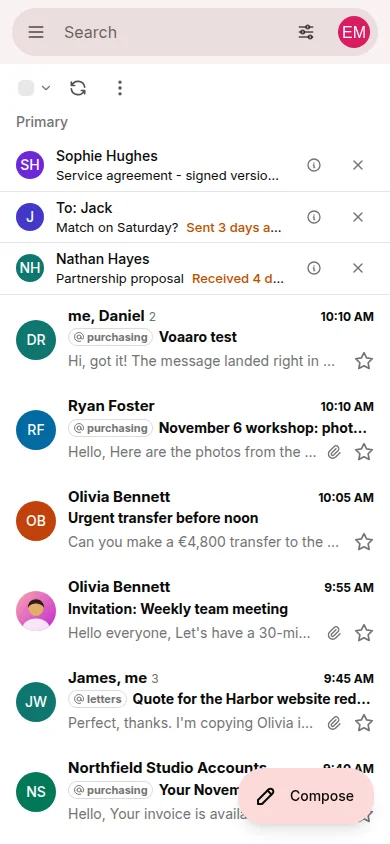
On a tablet (768 to 1,023 px), the sidebar collapses to icons; the menu button expands it. On a phone, it opens as a drawer and a floating New message button stays at the bottom right.
Tabs and inbox types
With the Categories type (Settings › Inbox), messages sort themselves into Primary, Promotions, Social, Updates and Forums; each tab shows its number of new messages. You choose which tabs are shown. The other types: Default (a single list), Important first, Unread first, Starred first (one collapsible section per group, with its own pagination).
The same tab also sets the Reading pane (conversation on the right or below the list, with a handle to resize it) and the importance markers.
Nudges
At the top of the Primary tab, Voaaro suggests messages received more than 3 days ago that probably need a reply ("Reply?") and your sent messages still unanswered after more than 4 days ("Follow up?"). The "i" explains why, and the cross dismisses the suggestion. Both suggestions can be turned off in Settings › General › Nudges. See also Nudges, tasks and notes.
Acting on conversations
- Hovering over a row: archive, delete, mark as read or unread, snooze.
- Checkbox: tick rows, then use the toolbar; the checkbox menu selects All, None, Read, Unread, Starred or Unstarred.
- Right-click (long press on a touch screen): all the actions for the row, or for the selection if the row is part of it. See Context menus and shortcuts.
- The star stars the conversation, the chevron marks it as important.
- Snooze: the conversation leaves the inbox and comes back on the chosen date, at the top of the list.
- An attachment chip opens the viewer without opening the conversation.
Each action shows a message at the bottom right with Cancel.
Labels
A message can carry several labels. Create them with the "+" in the sidebar or in Settings › Labels (name, colour, nested label). A label's "⋯" (or a right-click) edits it, creates a nested label or marks everything as read.
Pagination and page size
The list shows "1–50 of 312" and the previous / next arrows; the next page is preloaded. The number of conversations per page is set in Settings › General › Maximum page size.
Manage subscriptions
More › Manage subscriptions lists the newsletter senders of the last 90 days, from the most to the least prolific. Unsubscribe uses one-click unsubscribe when the sender offers it, otherwise an unsubscribe email; you can archive their messages at the same time.