The Newsletters group of the administration manages the subscribers and broadcasts of your organization's domains, without writing code. Everything it does is also available through the API (contacts, broadcasts, newsletters). Each user also has their own Newsletters area in the mailbox, for their personal contacts and broadcasts, sent from their address.
The picker at the top right of each page chooses the domain whose newsletter you manage.
The pages: Overview, Contacts, Segments, Topics and properties here; Broadcasts and their statistics; Templates, forms, automations and settings.
Overview
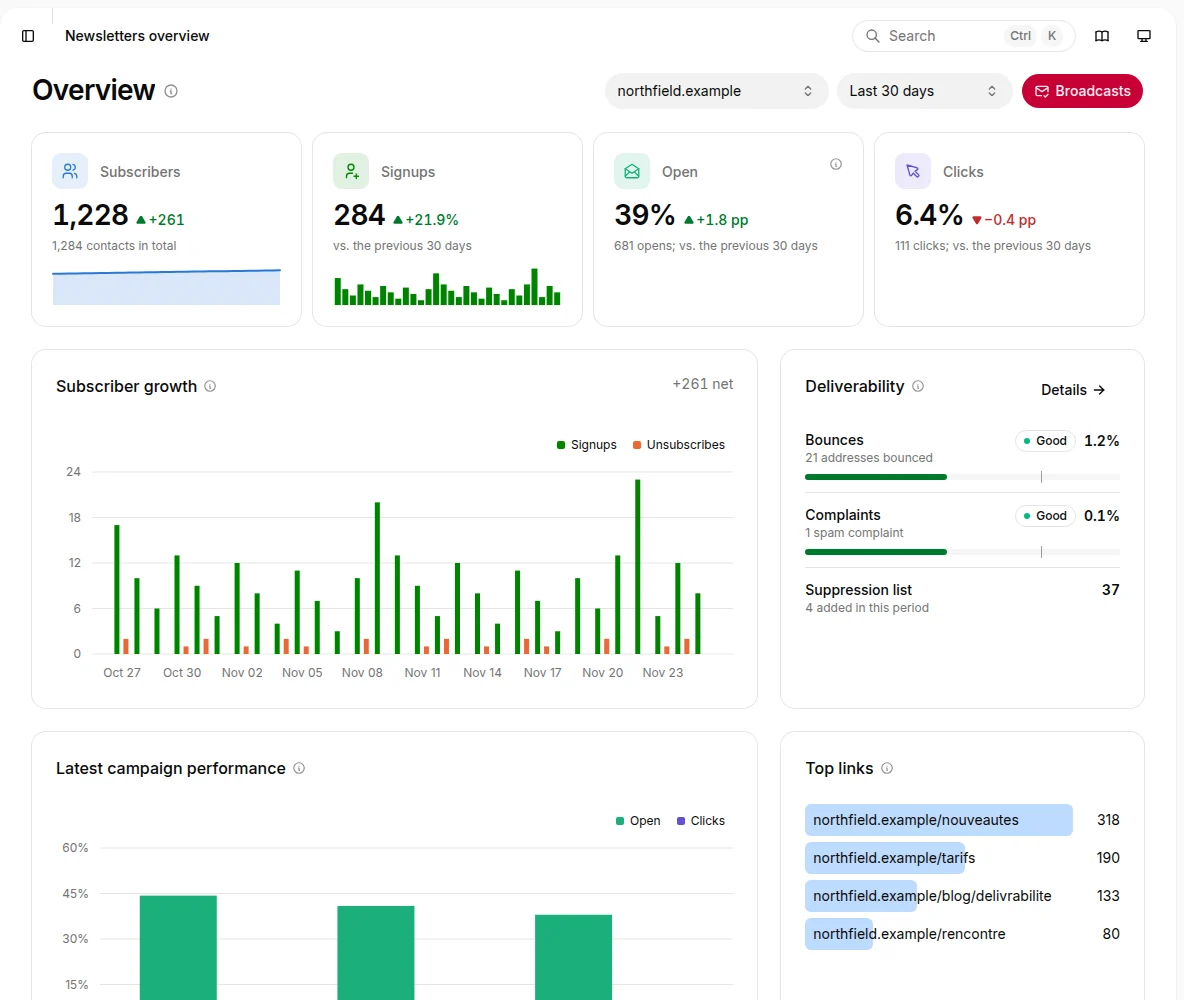
Newsletters › Newsletters overview: tiles for subscribers, opens and clicks, Scheduled broadcasts and Latest campaigns, Latest campaign performance, Top links and Deliverability (bounces above 2 % or complaints above 0.1 %: providers slow your sending down). For a domain that is just starting, the Getting started card lists what is missing: sender and postal address, contacts, a first campaign.
Contacts
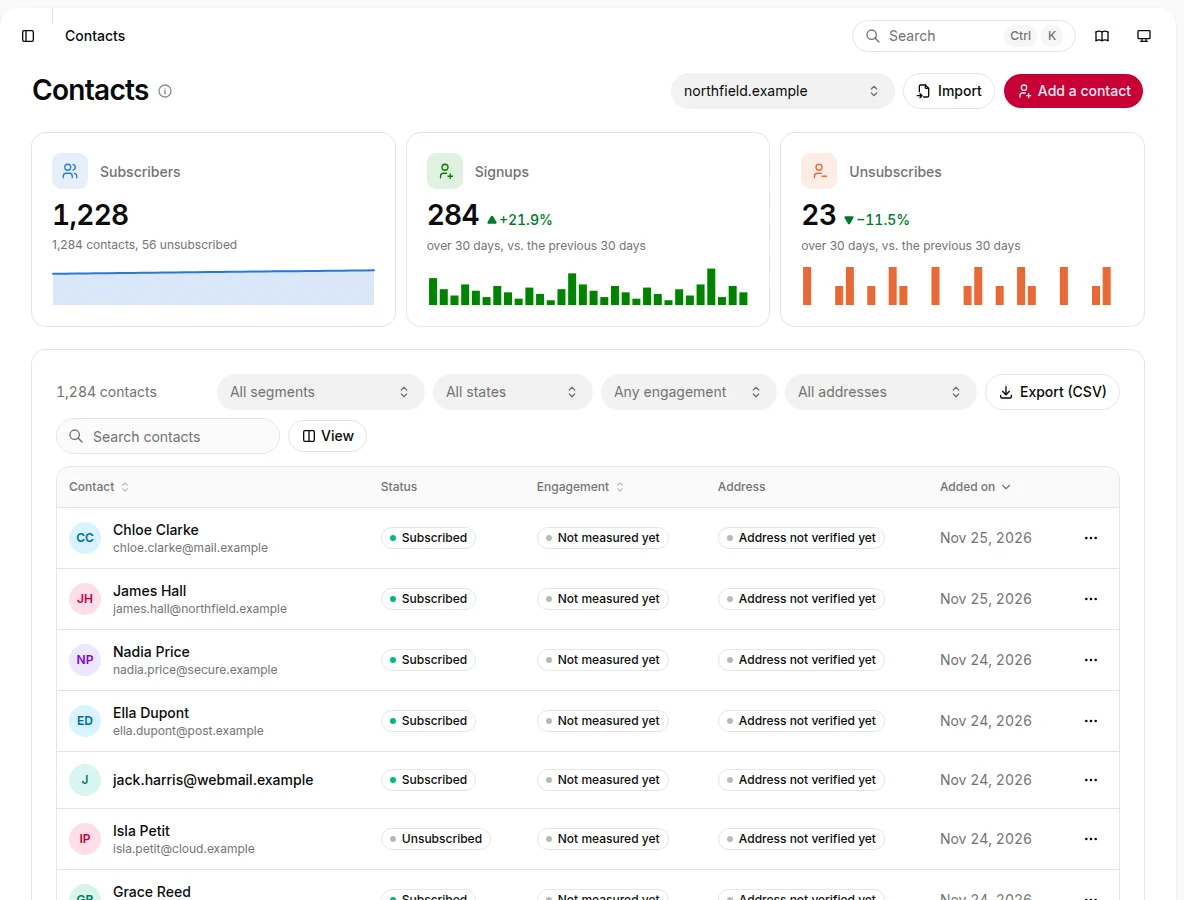
Newsletters › Contacts: your subscribers, with their state (Subscribers, Unsubscribed), search and filters.
- Add a contact one by one, or Import a CSV: columns
email(ore-mail,courriel),prénom(first_name),nom(last_name),unsubscribed; comma or semicolon separator; 10 MB and 50,000 rows at most. - Click a contact (or ⋯ › Open contact): its properties, lists and topics open in a panel on the right; the list stays visible.
- ⋯ menu or right-click: Unsubscribe / Resubscribe, Delete.
- Export (CSV): the filtered contacts, with their engagement score and address verification.
Engagement score
Each contact has a score from 0 to 100, recalculated every day and on every open or click: Engagement column (sortable), Any engagement filter, and a card in the contact panel. It counts the tracked broadcasts received over the past year: a click is worth more than an open, an ignored broadcast lowers the score, and an old broadcast counts less than a recent one (its weight halves every 60 days). Automatic opens by Apple Mail (privacy protection, which loads the images of every message received) count much less than a real open. A hard bounce or a complaint sets the score to 0.
- Highly engaged: 70 and above; Engaged: 30 to 69; Low engagement: below 30; Not measured yet: no tracked broadcast received (open and click tracking is turned on per sending key).
- The "Low engagement" segment button on the Segments page creates the matching dynamic segment (score below 30): send to them less often, or a separate re-engagement broadcast.
Address verification
Each address is checked when it is added, when it is imported, and in the background for those coming from a form or the API: Valid address, Risky address or Invalid address (Address column, filter, and details in the contact panel with Check again).
- Invalid: malformed address, domain without a mail server (neither MX nor address), domain that refuses all mail (null MX), domain reserved for examples (
.invalid,.example…). - Risky: disposable address (built-in list, no outside call), role address (
info@,noreply@…), likely typo in the domain (gmial.com: the panel suggestsgmail.com). - No mailbox is probed: Voaaro never connects to the recipients' servers.
- When you add a contact, a typo is flagged under the field (Did you mean …?); when you import, Exclude invalid addresses (checked by default) leaves them out, and the summary counts the valid, risky and invalid ones.
Segments
Newsletters › Segments: who a broadcast goes to.
- A list is filled by hand, by an import, a form or the API (New list, then Add to list from the contacts).
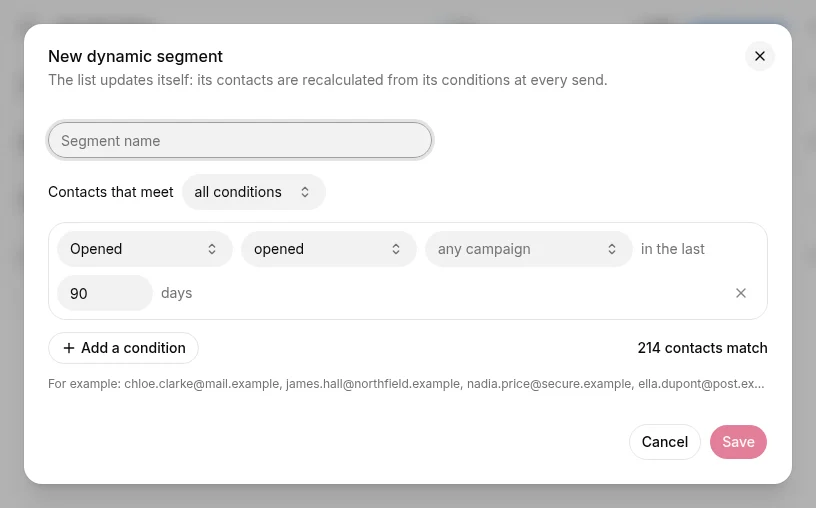
- A dynamic segment fills itself from its conditions (Dynamic segment button): property, sign-up date, topic (is subscribed to), sign-up form, Opened or Clicked a broadcast, Inactive for N days, Engagement score, Address verification… Combine them with all conditions or at least one condition; the number of matching contacts updates as you type.
⋯ menu: View contacts, Edit conditions, Rename, Delete.
Topics and properties
Newsletters › Topics and properties:
- Topics ("News", "Events"): the recipient's preferences. A broadcast tied to a topic only goes to contacts subscribed to that topic, and everyone chooses theirs on the unsubscribe page instead of unsubscribing from everything. New topic: Subscribed by default (existing and new contacts receive it unless they refused it) and Visible to everyone on the unsubscribe page (a private topic is not shown there: it is used for targeting).
- Properties ("company", "city"…): extra fields on each contact, usable in segments and as variables in broadcasts (⋯ › Copy variable). New property: name and type (Text or Number).