A shared mailbox (contact@example.com, support@example.com) is created in Users and access › Shared mailboxes. Its members find it in their mailbox, next to their own, and reply from the shared address.
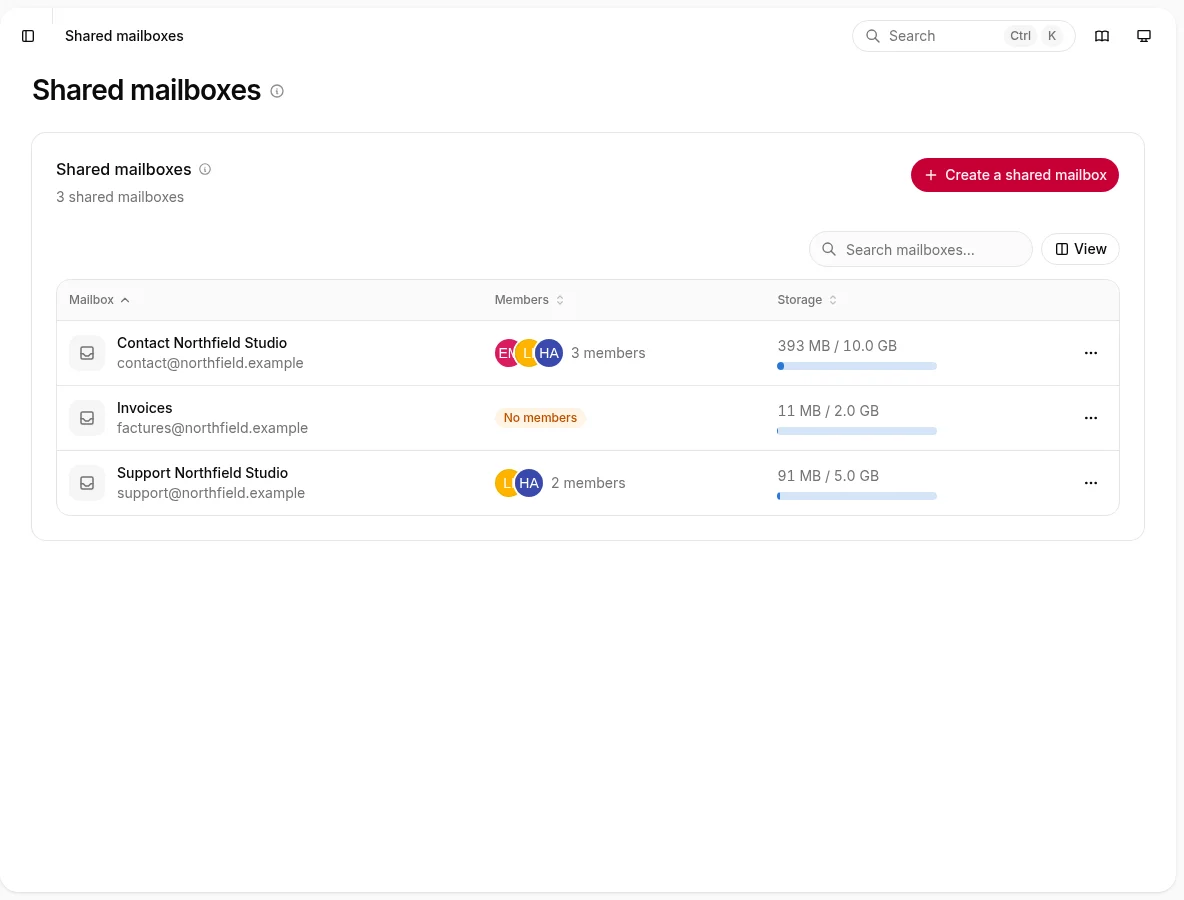
The Create a shared mailbox button is at the top of the list. A mailbox's ⋯ menu, or a right-click on its row, offers Members… (who has access: Read only, Read and reply to file, reply and send from the mailbox address, or Manage to also manage its members) and Routing… (who receives what).
Who receives what
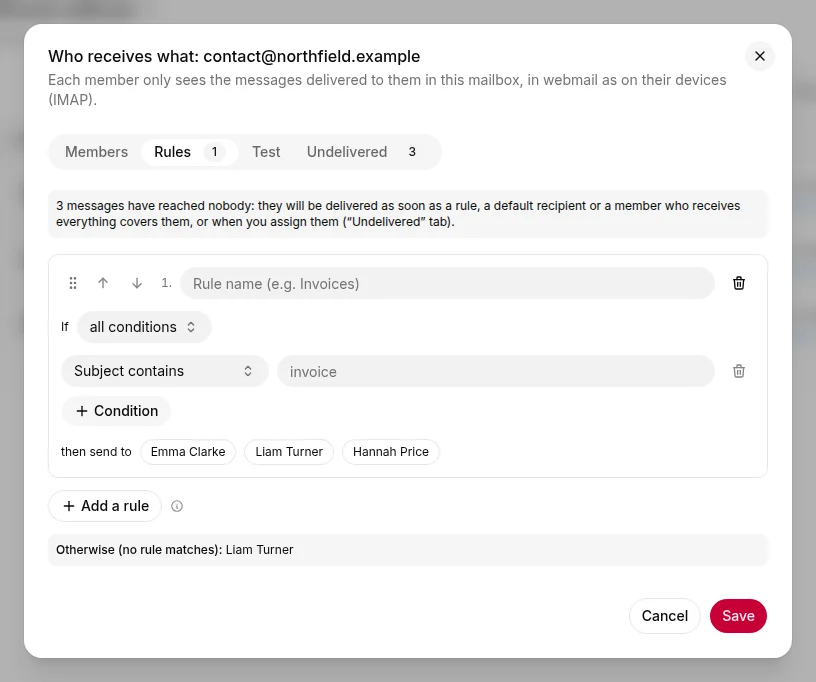
A shared mailbox does not reach everyone: each member only sees the messages assigned to them, in the mailbox as over IMAP. The Routing… dialog has four tabs: Members, Rules, Test and Undelivered. Three mechanisms combine:
- Rules, in order (drag a rule, or Move rule up / Move rule down), the first that matches wins: Subject contains, Sender is (address or domain), Sent to the address (the mailbox or one of its aliases) or Text contains, all or at least one; one or several target members. Example: subject contains "invoice" → accounting. Add a rule.
- Default (Members tab): those who receive when no rule matches.
- Receives all (Members tab): a member who receives every message.
A conversation follows those who already took part in it. Each member's Preference (Everything assigned to them, Only what a rule assigns to them, Nothing) is set in their mailbox, unless the administrator fixed it (Lock). Test shows who a sample message would go to.
A message that nothing assigns stays undelivered: the administrator sees it in the Undelivered tab and assigns it by hand; it goes out on its own as soon as a rule covers it.
Delegating a personal mailbox
A user can also give a colleague (assistant, stand-in) access to their own mailbox: the colleague reads and replies on their behalf, with the chosen rights (Read only, Read and send in my name, Read and send ("sent by" the delegate)). The administrator sets the same delegations from the Users page (Delegations…).
Limits
100 rules per mailbox, 20 conditions per rule. Push notifications only go to the members who receive the message.