These settings apply on the server, as each message arrives, even when the webmail is closed: they also apply to your IMAP apps.
Filters
Settings › Filters and Blocked Addresses › Create filter, or from a conversation: message menu › Filter messages like this (the criteria are prefilled), or the search options › Create filter.
- The criteria, all applied together: From, To, Subject, Has the words, Doesn't have, Size (greater or less than), Has attachment. Search shows the messages that already match.
- Continue, then the actions: skip the inbox (archive it), mark as read, star, apply a label, forward to a verified address, delete, never send to spam, always or never mark as important, categorise (Primary, Promotions…).
- Also apply to matching conversations processes messages already received right away.
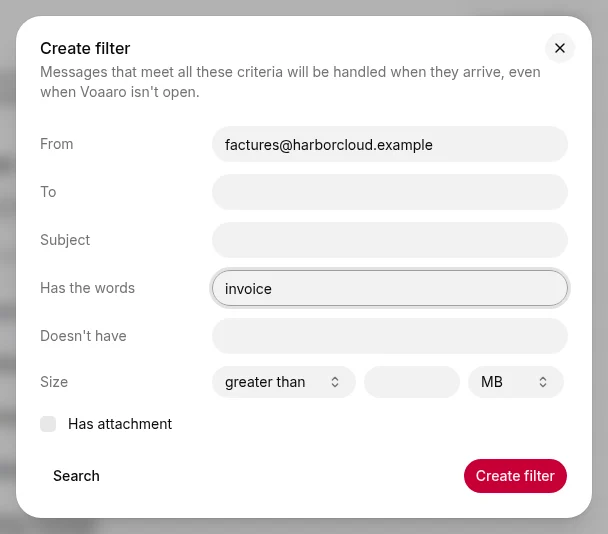
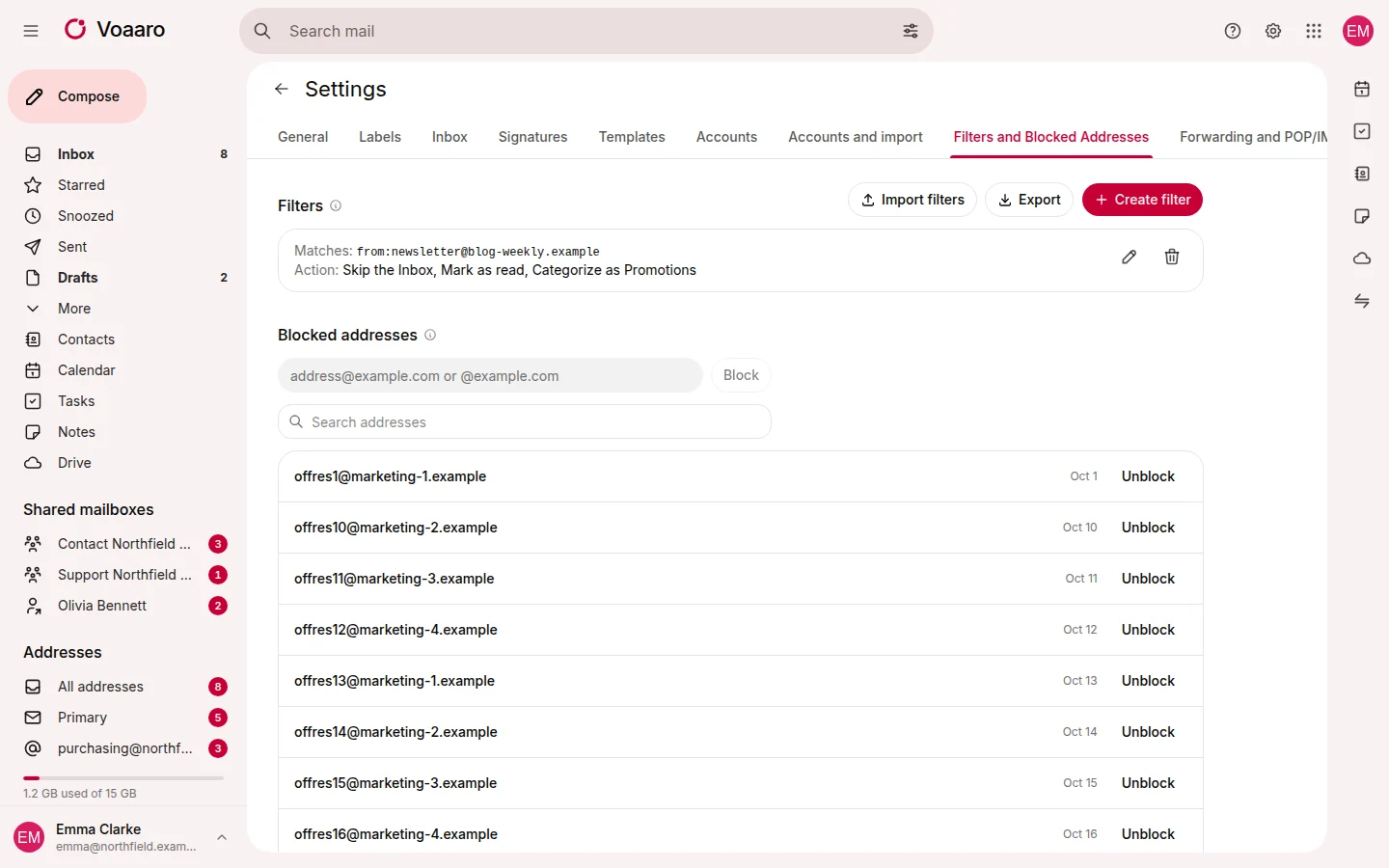
The filter list (20 per page) shows "Matches" and "Action" for each one, with edit and delete. Import filters and Export use Gmail's XML format: your Gmail filters carry over as they are.
Blocked addresses
In the same tab, Block an address (offers@example.com) or a whole domain (@example.com): its messages go straight to spam. The list is paginated and searchable; Unblock reverts it. From a conversation: context menu › Block "…".
Forwarding
Settings › Forwarding and POP/IMAP:
- Add a forwarding address: Voaaro sends a code to that address; enter it to verify the address. Only a verified address can receive your messages.
- Choose Forward a copy of incoming mail to that address, and what happens to the copy in Voaaro: keep it in the inbox, mark it as read, archive it or delete it. Spam is never forwarded.
- Save Changes.
For seven days, a banner in the webmail reminds you that you are forwarding your messages. To forward only some messages, create a filter with the Forward it to action instead.
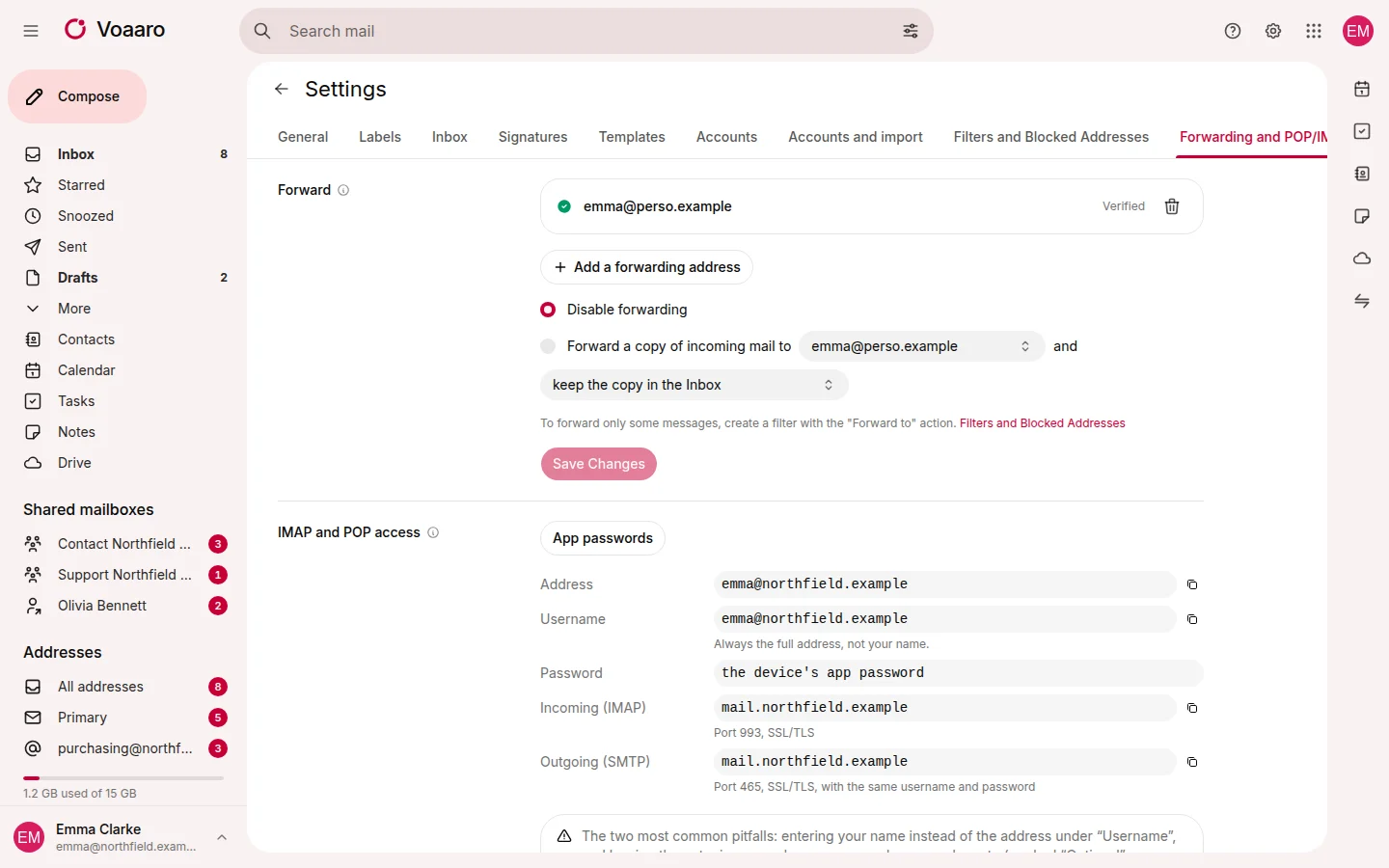
The same tab gives the IMAP and SMTP settings for your apps: see Phone and apps.
Vacation responder
Settings › General › Vacation responder: turn it on, choose the first and last day, the subject and the message (formatting and pasted HTML allowed). The same contact doesn't get the reply for every message, and mailing lists and bots don't get one at all.