The Settings › Plan tab only exists if your account belongs to a public service (an operator that opens mailboxes to the public on its instance, see Public service and plans). In a company, your administrator sets storage and limits.
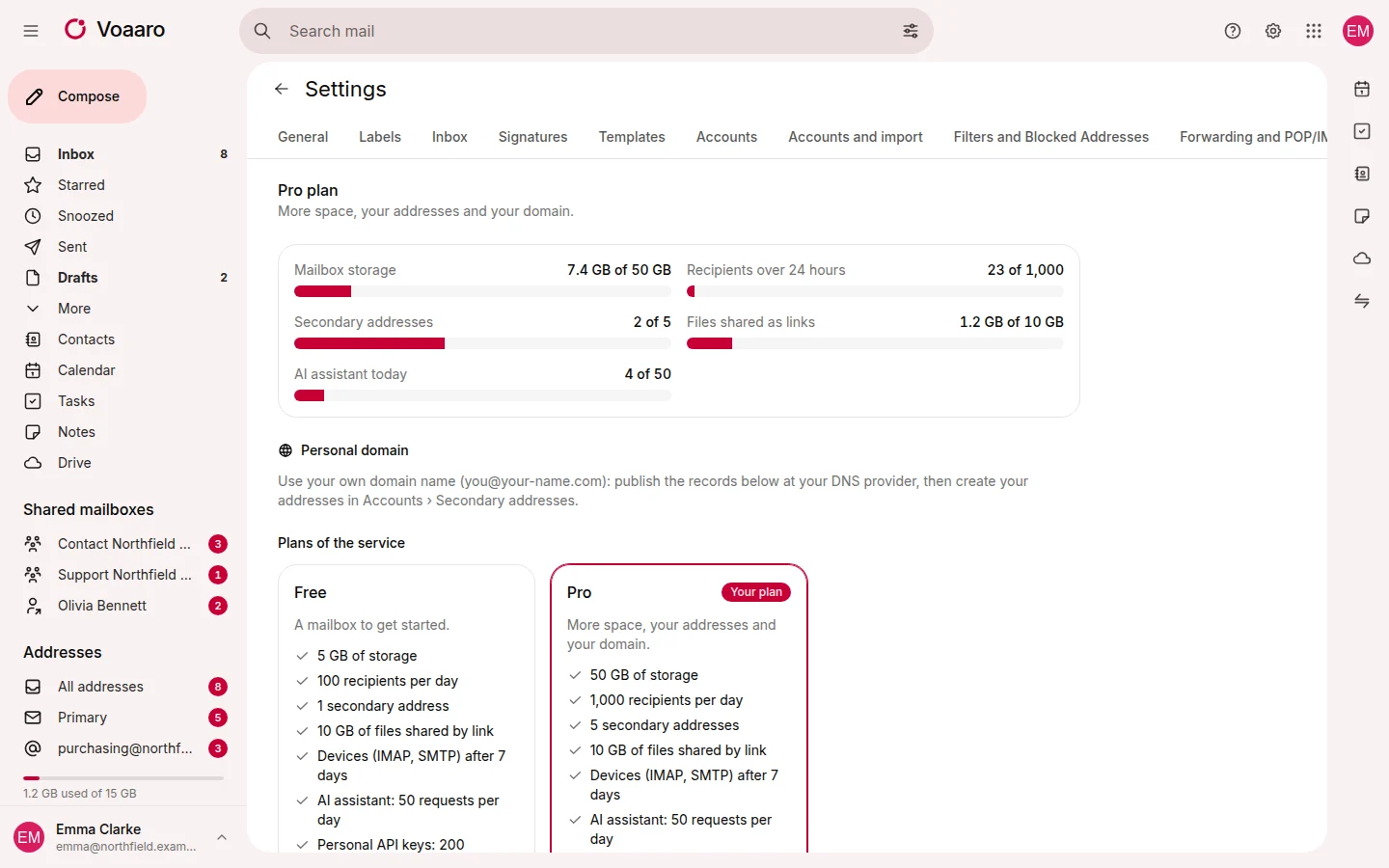
What you use
The gauges show your usage against your plan: Mailbox storage, Recipients over 24 hours, Secondary addresses, Files shared as links, AI assistant today. A gauge turns orange near the limit and red when it is reached.
- Mailbox full: new messages are temporarily refused (the sender retries); free up space or change plans.
- Recipients: the limit covers the last 24 hours; once it is reached, a new send is refused until the window frees up.
Change plans
Plans of the service compares the plans (storage, recipients per day, secondary addresses, files shared as links, IMAP and SMTP apps, AI assistant, personal API keys, personal domain, support). Choose switches to one; for a paid plan, choose Monthly or Yearly and pay on Stripe's secure page. The new plan takes effect within seconds of payment. Your plan also sets the size of a file Transfer.
Manage billing opens your Stripe space: card, invoices, cancellation. A cancellation takes effect at the end of the paid period, without a refund. Your invoices (paid, due…) are also listed in the tab.
If the operator hasn't enabled online payment, they change your plan themselves.
Failed payment
A banner warns you when a payment has failed or your bank asks for confirmation: Pay or Confirm payment. Without payment, the account can be suspended for non-payment: sending is cut off, your messages are kept, and everything comes back once the invoice is paid.
Your own domain name
If your plan includes a personal domain, add your-name.com in the tab: Voaaro shows the DNS records to publish at your provider, then Verify. Once the domain is verified, create your addresses in Secondary addresses. Your plan can also open newsletters on this domain.